 FlyCar AI
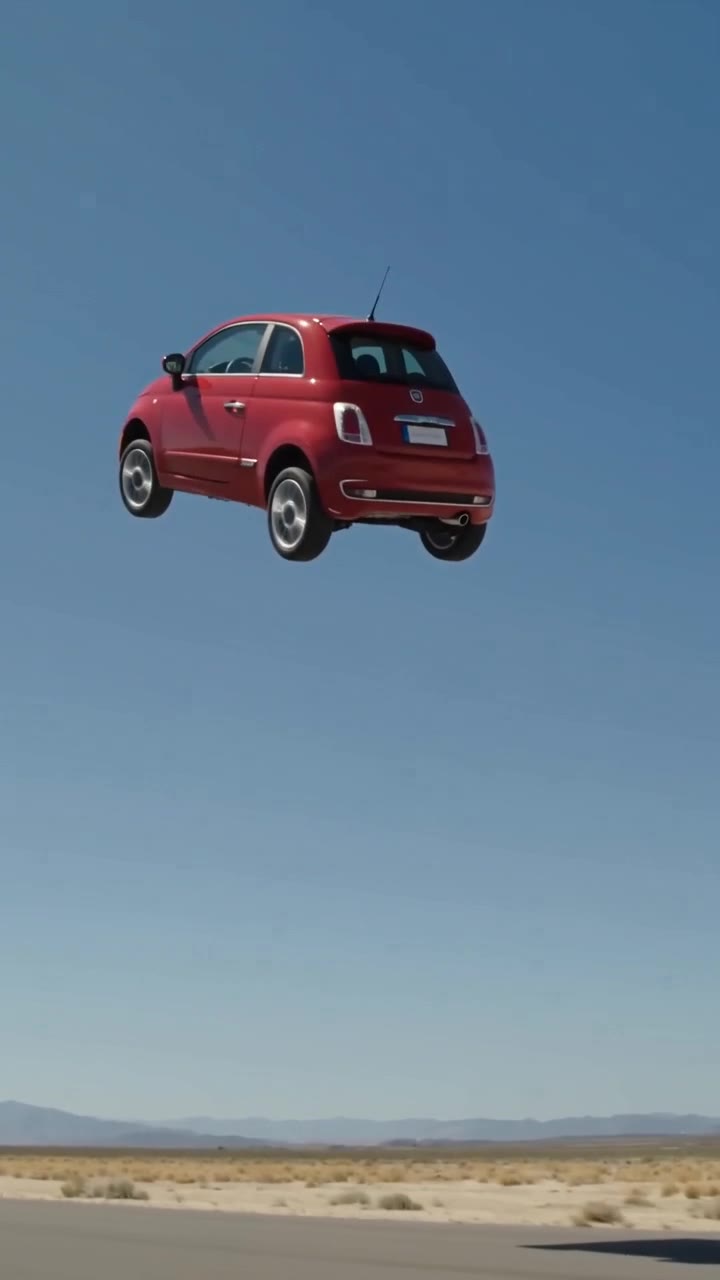
One vehicle photo. A fictional stunt.
Best Flying Car AI Video Generators: Compare Inputs, Output and Cost
 Make my car fly
From $6.99 · no subscription
Generated samples
The short answer
The best flying car AI video generators depend on your input and intended result: a vehicle-photo stunt is different from a portrait with a car flying overhead. As of October 2026, the comparison below records known specifications and marks unverified details rather than guessing. FlyCar AI takes one vehicle photo and offers three stunts, with 10-second output, generated sound, no watermark and 9:16 or 16:9 framing. HD is 720p for 3 credits, or choose a 480p Fast draft for 1 credit. Packs cost $6.99 for 3 credits and $14.99 for 9; there is no subscription or credit expiry. Generation typically takes 3–6 minutes and failed or blocked renders release credits automatically. There is no free photo preview, video upload, 1080p or people/pet driver mode. Check each provider’s site for current pricing and terms before paying.
Sources
How to make it
- Sign in and upload one clear photo of your own vehicle.
- Choose a stunt, 9:16 or 16:9, and HD (3 credits) or Fast draft (1 credit).
- Generate, wait about 3–6 minutes, and find the finished video in My Videos.
Choose by the photo you have
If the car itself is the subject, look for vehicle-reference support and inspect whether the body shape stays recognizable during motion. A portrait-based flying-car meme solves a different problem and may not preserve your own car.
For short-form posts, compare framing and audio as well as resolution. A silent 4:3 clip and a vertical clip with sound need different editing after download. Check whether a quoted price buys a video, a credit balance or a recurring subscription.
What this comparison can and cannot establish
The table uses the supplied October 17, 2026 competitor scan. It is not a hands-on quality ranking. Missing data is marked not verified; it does not mean a feature is absent. Prices, templates and policies may change after this snapshot.
For Dreamina, Higgsfield and Grok Imagine, that scan did not establish current output specifications or prices. Compare their current product pages directly rather than treating an old tutorial or a template name as a specification.
What you get here
Choose an approach–roll–landing sequence, a ramp jump over parked cars, or a vertical escape from traffic. The template supplies the motion instructions. A clear daylight photo and a simple side or three-quarter view give it the best starting point.
For commercial posts, own the input photo, label the video as AI-generated and avoid carmaker endorsement claims. Check the output for logos and plate details; automated removal is not guaranteed.
October 2026 comparison
Snapshot as of October 2026. Check their site for current pricing. USD prices shown where verified; “not verified” is not a claim that a feature is unavailable.
| Tool | Input / workflow | Output: length, resolution, sound, aspect | Price model | Brand safety / fit |
|---|---|---|---|---|
| FlyCar AI | One vehicle photo; three stunts | 10s; 720p HD / 480p draft; sound; 9:16 or 16:9 | $6.99 / 3 credits; $14.99 / 9 credits; one-time | Independent. AI badge/plate removal is requested, not guaranteed. |
| flyingcarai.net | One car photo; nine templates | About 14s; 480p or 720p; silent; 4:3 | 480p $6.99; 720p $9.99; two $16.99 / three $24.99; credits do not expire | The October scan reported official manufacturer reference material. Check rights and branding before commercial use. |
| aiflyingcarvideo.com | One photo; scene selection; guest email checkout | 6–10s; 720p; 9:16; sound not verified | $9.90 for one; $19.90 for three | Brand-removal and commercial-use terms not verified. |
| teslaroadsteraivideo.com | Login required; reference input requirements not verified | 15s; 768p; sound and aspect ratio not verified | 40 credits per video; offers from $4.99–$49.99 including subscriptions | Manufacturer name in domain does not establish affiliation; check terms. |
| carjumpai.com | Portrait photo; five desert flying-car templates | 12s; resolution, sound and aspect ratio not verified | Subscription from $19/month; credit packs from $7.90 | A car-over-person effect rather than a vehicle-photo stunt. Check likeness rights. |
| Dreamina (CapCut) | Not verified in the supplied October scan | Not verified | Check their site for current pricing | Check current input rights, disclosure rules and commercial-use terms. |
| Higgsfield | Not verified in the supplied October scan | Not verified | Check their site for current pricing | Check current input rights, disclosure rules and commercial-use terms. |
| Grok Imagine | Not verified in the supplied October scan | Not verified | Check their site for current pricing | Check current input rights, disclosure rules and commercial-use terms. |
| Generic prompt-based tools | Input and reference-photo support vary by tool | Length, resolution, sound and framing vary | Pricing model varies | A prompt alone does not guarantee brand removal or grant rights. |
Create your stunt video
One vehicle photo. A 10-second video with sound, ready in about 3 to 6 minutes.
Frequently asked questions
How is this different from CapCut, Dreamina, Higgsfield or Grok Imagine?
This tool focuses on one vehicle photo and three preset stunts, with a fixed 10-second output and one-time credit packs. Check our comparison guide and each provider’s current site; other tools’ features and prices vary.
Does it work with trucks, SUVs, vans and motorcycles?
Yes. Car, truck, SUV, van and motorcycle photos are supported. Keep the whole vehicle visible. Unusual shapes can be harder for AI to preserve; results are not exact replicas.
How long is the video and what resolution can I choose?
Each video is 10 seconds. HD is 720p and costs 3 credits; Fast draft is 480p and costs 1 credit. Choose vertical 9:16 or landscape 16:9.
Does the video have sound?
Yes. AI-generated effects follow the stunt: engine noise, wind or thruster whooshes and landing sounds. The traffic template also includes traffic ambience.
How much does it cost? Is there a subscription?
Single costs $6.99 for 3 credits: one HD video or three Fast drafts. The 3 Pack costs $14.99 for 9 credits: three HD videos or nine Fast drafts. These are one-time purchases, not subscriptions.
Can I preview with my photo before paying?
No. There is no free trial or free preview of your photo. A 480p Fast draft costs 1 credit and lets you test a photo before spending 3 credits on HD. Watch the HD and Fast draft samples on this page to see what to expect.
Can I use the video commercially, for example in a car dealer ad?
You must own the vehicle photo, label the result as AI-generated and avoid implying endorsement by any carmaker. Deceptive ads are not allowed. Check the generated clip for remaining badges and plates before publishing.
What if the render fails or is blocked?
Credits are reserved at submission and automatically released if generation fails or safety review blocks it. Failed or blocked renders are never charged. You can try again with the released credits.
What happens if I upload a Tesla or a car with a logo?
You may upload a car you own. The AI is asked to preserve its shape and colour and remove badges and blank plates. Badges are usually removed, but a logo can remain. We are not affiliated with Tesla, Inc. or any carmaker.
Related templates and guides
Updated Oct 17, 2026
What's new on this page
October 17, 2026: Published with current template details, launch pricing and product limits.
Not affiliated with Tesla or any carmaker. Badges and plates are removed by the AI where possible, not guaranteed. Do not try stunts for real.