 FlyCar AI
One vehicle photo. A fictional stunt.
Car Kickflip AI: Make Your Car Flip Off a Ramp From One Photo
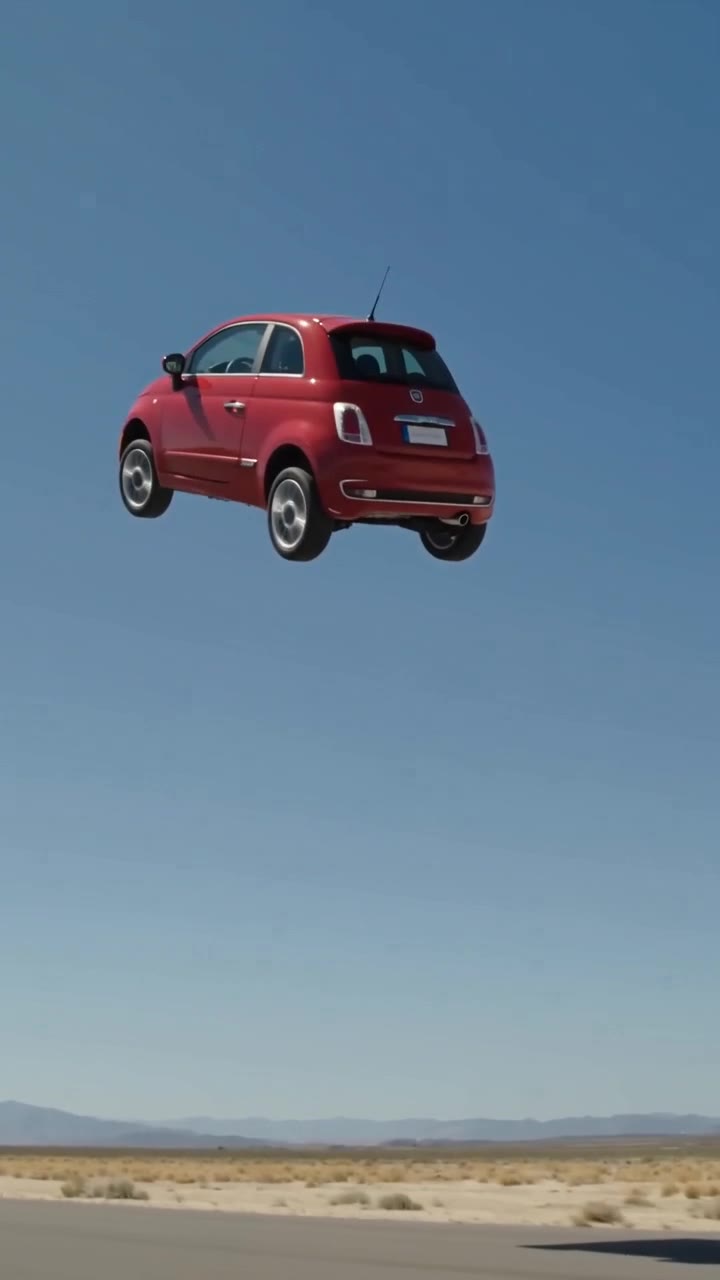 Make my car fly
From $6.99 · no subscription
Create your stunt video
One vehicle photo. A 10-second video with sound, ready in about 3 to 6 minutes.
Generated samples
The short answer
A car kickflip AI video sends your vehicle up a desert-track ramp, through one full 360-degree roll, then onto all four wheels. Upload one photo of your own car, truck, SUV, van or motorcycle and pick a stunt. The result is a 10-second AI video with generated sound effects, no watermark, and 9:16 or 16:9 framing. HD is 720p for 3 credits; a 480p Fast draft costs 1 credit. Rendering usually takes 3–6 minutes. Buy 3 credits for $6.99 or 9 for $14.99 through PayPal, with no subscription and no credit expiry. Failed or safety-blocked renders automatically release reserved credits. Successful renders do not include a free re-roll. An account is required; there is no free preview. Video uploads, longer clips, 1080p and people or pets in the driver seat are not supported.
How to make it
- Sign in and upload one clear photo of your own vehicle.
- Choose a stunt, 9:16 or 16:9, and HD (3 credits) or Fast draft (1 credit).
- Generate, wait about 3–6 minutes, and find the finished video in My Videos.
What you get: shot by shot
- Setup: your car rolls toward a steel launch ramp on a sunny desert test track.
- Launch: it accelerates, hits the ramp and leaves the ground.
- Flip: the car spins one full 360° roll along its length, like a skateboard kickflip.
- Landing: all four wheels touch down, the suspension compresses, dust bursts out.
- Sound: engine roar, a whoosh in the air, a heavy landing thud.
These are the intended beats. AI motion and vehicle details can vary.
Keep the roll readable
Use a side or three-quarter view with the wheels visible. Heavy crops make it harder to preserve the car through a rotation. The template requests one smooth roll rather than a succession of flips.
A full rotation exposes surfaces absent from your photo. AI must invent the underside and hidden bodywork, so inspect the roof, wheels and paint when the car turns. A Fast draft is useful for testing a tricky angle.
Review before you share
AI can change vehicle details or produce awkward motion. Contact support for a credit review if the result changes your model or colour or is visibly broken. Successful renders do not include a free re-roll.
Label the result as AI-generated. Badges and plates are removed where possible, not guaranteed. Commercial use requires rights to the photo and must not imply endorsement by a carmaker.
Frequently asked questions
How do I make my car fly in a video?
Sign in, upload one photo of your own vehicle, choose Ramp Kickflip, Ramp Jump Over Cars or Fly Out of Traffic, select your quality and framing, and generate. Find the result in My Videos.
What photo works best?
Use a sharp daylight photo with the whole vehicle in frame, from the side or a three-quarter angle. Avoid heavy shadows, crops, clutter and other vehicles. Do not include people without permission.
Will it keep my exact car, colour and wheels?
The generation is instructed to preserve your vehicle shape, paint colour and wheels, but details can drift. A clear side or three-quarter view gives the model more useful information.
What happens if I upload a Tesla or a car with a logo?
You may upload a car you own. The AI is asked to preserve its shape and colour and remove badges and blank plates. Badges are usually removed, but a logo can remain. We are not affiliated with Tesla, Inc. or any carmaker.
My car changed model or colour. Can I get a refund?
If the result clearly changes the model or colour, or is visibly broken, contact support for a manual credit review. Failed renders release credits automatically; a successful render is not automatically refunded.
How long is the video and what resolution can I choose?
Each video is 10 seconds. HD is 720p and costs 3 credits; Fast draft is 480p and costs 1 credit. Choose vertical 9:16 or landscape 16:9.
How much does it cost? Is there a subscription?
Single costs $6.99 for 3 credits: one HD video or three Fast drafts. The 3 Pack costs $14.99 for 9 credits: three HD videos or nine Fast drafts. These are one-time purchases, not subscriptions.
Can I preview with my photo before paying?
No. There is no free trial or free preview of your photo. A 480p Fast draft costs 1 credit and lets you test a photo before spending 3 credits on HD. Watch the HD and Fast draft samples on this page to see what to expect.
What if the render fails or is blocked?
Credits are reserved at submission and automatically released if generation fails or safety review blocks it. Failed or blocked renders are never charged. You can try again with the released credits.
How long does generation take?
Usually about 3–6 minutes. Rendering can continue while the page is closed; check My Videos for the result.
Related templates and guides
Updated Oct 17, 2026
What's new on this page
October 17, 2026: Published with current template details, launch pricing and product limits.
Not affiliated with Tesla or any carmaker. Badges and plates are removed by the AI where possible, not guaranteed. Do not try stunts for real.