 FlyCar AI
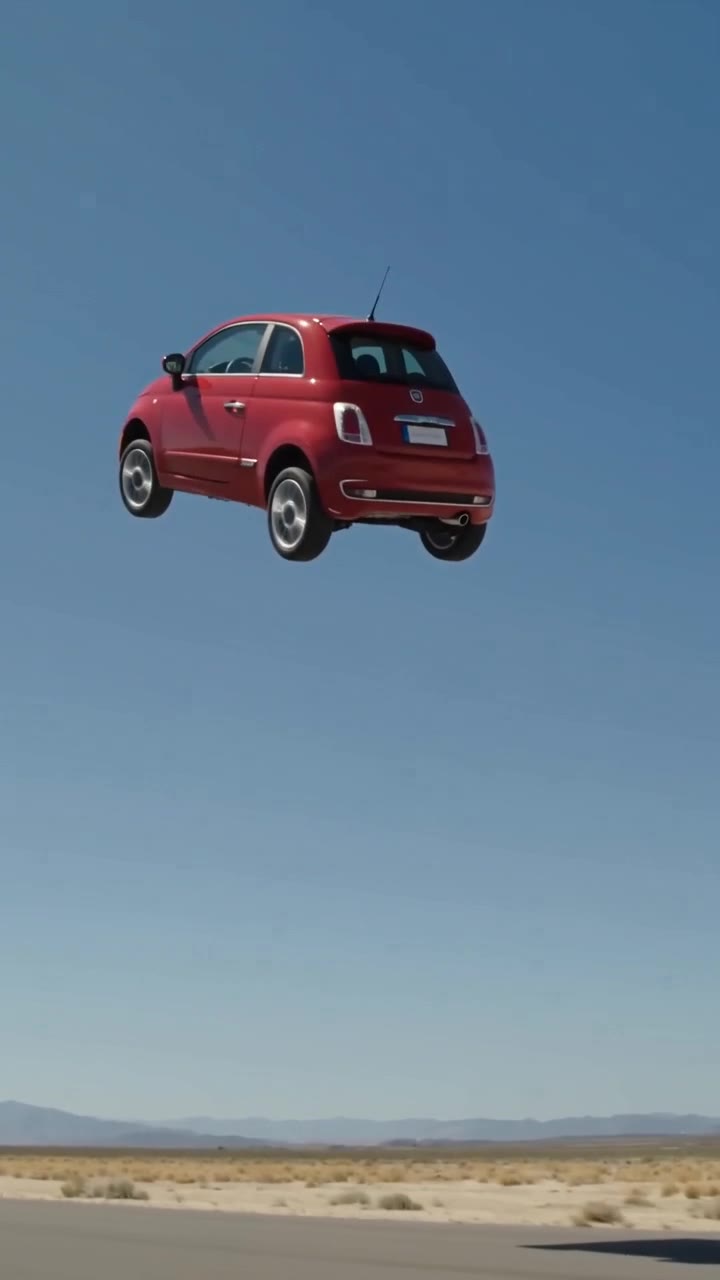
One vehicle photo. A fictional stunt.
Flying Car AI FAQ: Photos, Stunts, Credits and Privacy
 Make my car fly
From $6.99 · no subscription
Generated samples
The short answer
Flying car AI questions usually come down to the photo, the stunt and what happens after payment. Here are the launch limits and policies in one place. Upload one photo of your own car, truck, SUV, van or motorcycle and pick a stunt. The result is a 10-second AI video with generated sound effects, no watermark, and 9:16 or 16:9 framing. HD is 720p for 3 credits; a 480p Fast draft costs 1 credit. Rendering usually takes 3–6 minutes. Buy 3 credits for $6.99 or 9 for $14.99 through PayPal, with no subscription and no credit expiry. Failed or safety-blocked renders automatically release reserved credits. Successful renders do not include a free re-roll. An account is required; there is no free preview. Video uploads, longer clips, 1080p and people or pets in the driver seat are not supported.
Sources
How to make it
- Sign in and upload one clear photo of your own vehicle.
- Choose a stunt, 9:16 or 16:9, and HD (3 credits) or Fast draft (1 credit).
- Generate, wait about 3–6 minutes, and find the finished video in My Videos.
What you get
Three templates turn one vehicle photo into a ramp kickflip, a ramp jump over parked cars or an escape from city traffic. Each creates a fictional 10-second action sequence with sound.
Before you upload
Use one sharp, well-lit vehicle photo you own. Keep the whole car visible and avoid people or copyrighted characters. Read the upload notice and the displayed credit cost before submitting. Contact support if a completed result visibly changes the model or colour.
Create your stunt video
One vehicle photo. A 10-second video with sound, ready in about 3 to 6 minutes.
Frequently asked questions
What is a flying car AI video?
It is a fictional clip generated from a vehicle photo, showing a car performing an impossible stunt. It is entertainment, not evidence that your vehicle can fly.
How do I make my car fly in a video?
Sign in, upload one photo of your own vehicle, choose Ramp Kickflip, Ramp Jump Over Cars or Fly Out of Traffic, select your quality and framing, and generate. Find the result in My Videos.
Do I need a prompt?
No. The three templates supply the scene and motion instructions. The prompt guide provides examples for other tools that accept custom prompts.
Which stunts can I make?
Ramp Kickflip performs a full roll off a ramp; Ramp Jump Over Cars clears a row of parked cars; Fly Out of Traffic rises out of a jam and flies away. There are no separate police-stop, pet or hover-only modes.
Can I put myself, my dog or my cat behind the wheel?
No. This release takes one vehicle photo. It does not support inserting people or pets into the driver seat. Use a clear vehicle-only photo.
Does it work with trucks, SUVs, vans and motorcycles?
Yes. Car, truck, SUV, van and motorcycle photos are supported. Keep the whole vehicle visible. Unusual shapes can be harder for AI to preserve; results are not exact replicas.
Will it keep my exact car, colour and wheels?
The generation is instructed to preserve your vehicle shape, paint colour and wheels, but details can drift. A clear side or three-quarter view gives the model more useful information.
Can two people be in the video?
No. Two-person videos and driver-seat people or pet modes are not supported.
What photo works best?
Use a sharp daylight photo with the whole vehicle in frame, from the side or a three-quarter angle. Avoid heavy shadows, crops, clutter and other vehicles. Do not include people without permission.
Which file types and sizes are supported?
Upload a still vehicle photo, not a video. Check the upload control for the current accepted formats and size limit; if it rejects the file, follow its error message. This guide does not promise additional formats.
Can I use a photo found online or someone else’s car?
Use your own vehicle photo. Do not use online images, logos, artwork or characters you do not have rights to, and do not upload other people without permission.
How long is the video and what resolution can I choose?
Each video is 10 seconds. HD is 720p and costs 3 credits; Fast draft is 480p and costs 1 credit. Choose vertical 9:16 or landscape 16:9.
Does the video have sound?
Yes. AI-generated effects follow the stunt: engine noise, wind or thruster whooshes and landing sounds. The traffic template also includes traffic ambience.
How long does generation take?
Usually about 3–6 minutes. Rendering can continue while the page is closed; check My Videos for the result.
Is there a watermark?
No. Finished videos have no watermark. Still label your video as AI-generated when sharing it.
Can I post it on TikTok, Reels, Shorts or X?
Yes. Vertical 9:16 suits TikTok, Instagram Reels and YouTube Shorts; 16:9 is also available. Label the stunt as AI-generated and follow the platform’s disclosure rules.
Can I preview with my photo before paying?
No. There is no free trial or free preview of your photo. A 480p Fast draft costs 1 credit and lets you test a photo before spending 3 credits on HD. Watch the HD and Fast draft samples on this page to see what to expect.
How much does it cost? Is there a subscription?
Single costs $6.99 for 3 credits: one HD video or three Fast drafts. The 3 Pack costs $14.99 for 9 credits: three HD videos or nine Fast drafts. These are one-time purchases, not subscriptions.
Do credits expire?
Purchased credits never expire. You can use the remaining balance on a later stunt.
What if the render fails or is blocked?
Credits are reserved at submission and automatically released if generation fails or safety review blocks it. Failed or blocked renders are never charged. You can try again with the released credits.
Can I get a refund?
Unused purchases can be refunded within 14 days under the refund policy. A successful video you dislike does not come with a free re-roll or automatic refund.
What happens to my photos and videos?
Uploads are private. Unused uploads expire after 24 hours, and input photos are deleted after the job finishes. Finished videos remain private in My Videos until you delete them.
Should I try this stunt for real?
No. These are fictional AI effects, not driving instructions. Do not attempt ramp flips, jumps or flight in a real vehicle.
How is this different from CapCut, Dreamina, Higgsfield or Grok Imagine?
This tool focuses on one vehicle photo and three preset stunts, with a fixed 10-second output and one-time credit packs. Check our comparison guide and each provider’s current site; other tools’ features and prices vary.
Do I need an account, and why sign in?
Yes. A free account (Google or email) is required to generate and buy credits so your private videos and balance are tied to you.
Which payment methods can I use?
At launch, checkout is through PayPal only. PayPal balance and debit or credit cards through its guest card option may be available where PayPal offers them. Apple Pay is not offered at launch.
Can I close the page? Will I get an email?
Yes, you can close the page while the video renders and return to My Videos. Do not rely on an email notification; check your account for the result.
What happens if I upload a Tesla or a car with a logo?
You may upload a car you own. The AI is asked to preserve its shape and colour and remove badges and blank plates. Badges are usually removed, but a logo can remain. We are not affiliated with Tesla, Inc. or any carmaker.
Why was my photo rejected?
Safety review may reject nudity or sexual content, minors, violence or gore, real people without consent or impersonation, famous film/franchise vehicles or characters, hateful symbols, or a photo without a clear vehicle. Blocked renders are not charged.
Are my photos used to train AI?
No. Uploaded photos are used only to make your video; we do not use them to train AI models.
Can I use the video commercially, for example in a car dealer ad?
You must own the vehicle photo, label the result as AI-generated and avoid implying endorsement by any carmaker. Deceptive ads are not allowed. Check the generated clip for remaining badges and plates before publishing.
My car changed model or colour. Can I get a refund?
If the result clearly changes the model or colour, or is visibly broken, contact support for a manual credit review. Failed renders release credits automatically; a successful render is not automatically refunded.
Can I get 1080p or a longer video?
Not yet. Available outputs are 10 seconds at 720p HD or 480p Fast draft, in 9:16 or 16:9. There is no 1080p, 15-second or square option.
Can I upload my own video to edit?
No. The input is one still photo of your vehicle; video editing and video upload are not supported.
Is this an official carmaker product?
No. The service is independent and not affiliated with Tesla, Inc. or any carmaker. No official footage is used.
Is the original flying car demo real or AI?
According to Snopes, the October 15, 2026 Tesla Roadster demonstration in Waco, Texas was real. Its TRUE rating cites the official livestream and attendee clips. That does not authenticate every repost or edited version.
Did it actually fly?
Snopes distinguishes short controlled launches and drops from sustained flight. Calling the demonstration “flying” depends on what you mean by flight.
How did the car perform the stunt?
AP reports thrusters and a suction system. Electrek describes cold-gas thrusters on the Rocket trim. These reports do not make the stunt safe to reproduce.
Can I buy a road-approved version now?
AP says consumer production is not expected before 2028 and the vehicle is not approved for public roads yet.
Are clips with other cars or pets real?
The viral variations that insert other cars, people or pets into the stunt are AI-generated. FlyCar AI creates fictional vehicle-photo variations; it does not offer people or pets in the driver seat.
Can this website verify a clip I found?
No. This page summarizes the cited reporting; the generator is not a video-authentication service. Check the original uploader and full context.
Related templates and guides
Updated Oct 17, 2026
What's new on this page
October 17, 2026: Published with current template details, launch pricing and product limits.
Not affiliated with Tesla or any carmaker. Badges and plates are removed by the AI where possible, not guaranteed. Do not try stunts for real.