 FlyCar AI
AI Car Video Generator: Turn a Car Photo Into a Stunt
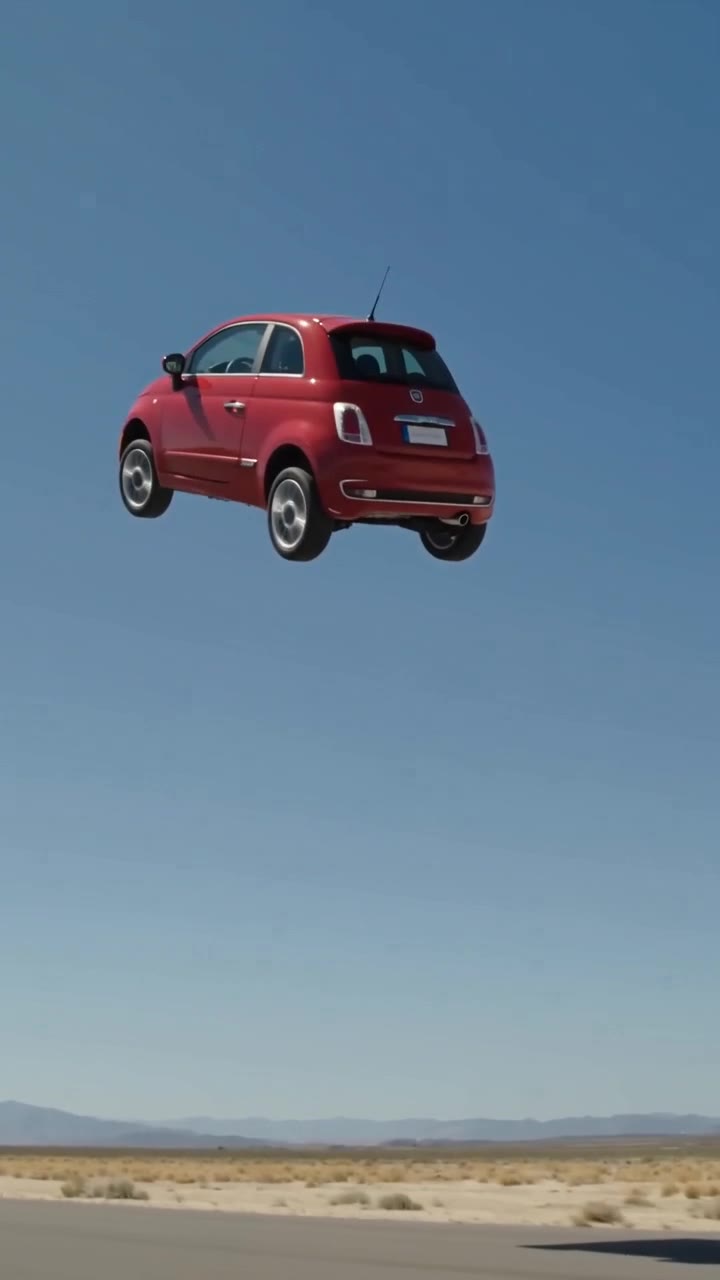
This AI car video generator turns one photo of your own vehicle into a 10-second stunt clip with sound. Pick a stunt; there is no prompt to write.
From $6.99 · ready in 3–6 min · no watermark · failed renders refunded
Create your stunt video
One vehicle photo. A 10-second video with sound, ready in about 3 to 6 minutes.
AI Car Video Generator examples
AI Car Video Generator: the short answer
An AI car video generator turns one photo of your own vehicle into a 10-second fictional stunt clip with sound. Choose a ramp kickflip, a jump over parked cars, a traffic escape or a wall ride. Upload one photo of your own car, truck, SUV, van or motorcycle and pick a stunt. The result is a 10-second AI video with generated sound effects, no watermark, and 9:16 or 16:9 framing. HD is 720p for 3 credits; a 480p Fast draft costs 1 credit. Rendering usually takes 3–6 minutes. Buy 3 credits for $6.99 or 9 for $14.99 through PayPal, with no subscription and no credit expiry. Failed or safety-blocked renders automatically release reserved credits. Successful renders do not include a free re-roll. An account is required; there is no free preview. Video uploads, longer clips, 1080p and people or pets in the driver seat are not supported.
How to make it
- Sign in and upload one clear photo of your own vehicle.
- Choose a stunt, 9:16 or 16:9, and HD (3 credits) or Fast draft (1 credit).
- Generate, wait about 3–6 minutes, and find the finished video in My Videos.
How an AI car video generator works here
You upload one clear photo of your own car, truck, SUV, van or motorcycle. The generator keeps the vehicle shape, paint colour and wheels as far as it can, places the vehicle in a fixed stunt scene, and renders a 10-second clip with generated sound effects and no watermark.
Because the scenes are templates, the result does not depend on your prompt-writing skill. Rendering takes about 3–6 minutes, and you can close the page and find the finished video in My Videos.
Choose a stunt for your car video
Ramp Kickflip sends the car up a steel ramp on a desert test track for one full 360-degree roll. Ramp Jump Over Cars launches it from an airfield runway over a row of eight plain parked sedans onto a landing ramp. Fly Out of Traffic lifts it out of a gridlocked city highway on white vapor and banks it toward the skyline.
All four are fictional entertainment sequences. Do not attempt any of these stunts for real.
Photo tips for any AI car video generator
Use a sharp, daylight photo that shows the whole vehicle from the side or a three-quarter angle, with room around the wheels and roof. A single clear subject works better than a busy parking lot. Avoid people and pets, which are not supported in this release.
Badges and plates are removed by the AI where possible, not guaranteed. Review the result and label it as AI-generated before sharing.
Frequently asked questions
What is a flying car AI video?
It is a fictional clip generated from a vehicle photo, showing a car performing an impossible stunt. It is entertainment, not evidence that your vehicle can fly.
How do I make my car fly in a video?
Sign in, upload one photo of your own vehicle, choose Ramp Kickflip, Ramp Jump Over Cars, Fly Out of Traffic or Anti-Gravity Wall Ride, select your quality and framing, and generate. Find the result in My Videos.
Does it work with trucks, SUVs, vans and motorcycles?
Yes. Car, truck, SUV, van and motorcycle photos are supported. Keep the whole vehicle visible. Unusual shapes can be harder for AI to preserve; results are not exact replicas.
How much does it cost? Is there a subscription?
Single costs $6.99 for 3 credits: one HD video or three Fast drafts. The 3 Pack costs $14.99 for 9 credits: three HD videos or nine Fast drafts. These are one-time purchases, not subscriptions.
Can I preview with my photo before paying?
No. There is no free trial or free preview of your photo. A 480p Fast draft costs 1 credit and lets you test a photo before spending 3 credits on HD. Watch the HD and Fast draft samples on this page to see what to expect.
What if the render fails or is blocked?
Credits are reserved at submission and automatically released if generation fails or safety review blocks it. Failed or blocked renders are never charged. You can try again with the released credits.
How long does generation take?
Usually about 3–6 minutes. Rendering can continue while the page is closed; check My Videos for the result.
Which stunt should I choose first?
Ramp Kickflip is the most dramatic and works well with a clear side view. Ramp Jump Over Cars suits wide, low vehicles. Fly Out of Traffic suits a front or three-quarter view. If unsure, test the photo with a 1-credit Fast draft before an HD render.
Is this a general AI video tool or a car-specific generator?
It is car-specific. You get four fixed stunt templates built for vehicle photos rather than a blank prompt box, so there is nothing to write. The prompt guide covers examples for other tools that accept custom prompts.
Can I pick vertical or widescreen framing?
Yes. Choose 9:16 for Reels, TikTok and Shorts, or 16:9 for widescreen, each time you generate. Both options are 10 seconds long.
Keep exploring
Each stunt has its own page with examples and photo tips: the ramp kickflip, the jump over parked cars, the traffic escape and the anti-gravity wall ride.
Not sure the viral clip was even real? Read whether the flying car video is real. Comparing tools first? See how flying car AI generators compare, borrow flying car prompt ideas for other tools, then check credit pricing or the FAQ.
More from FlyCar AI
Updated Oct 17, 2026
What's new on this page
October 17, 2026: Published with current template details, launch pricing and product limits.
Not affiliated with Tesla or any carmaker. Badges and plates are removed by the AI where possible, not guaranteed. Do not try stunts for real.